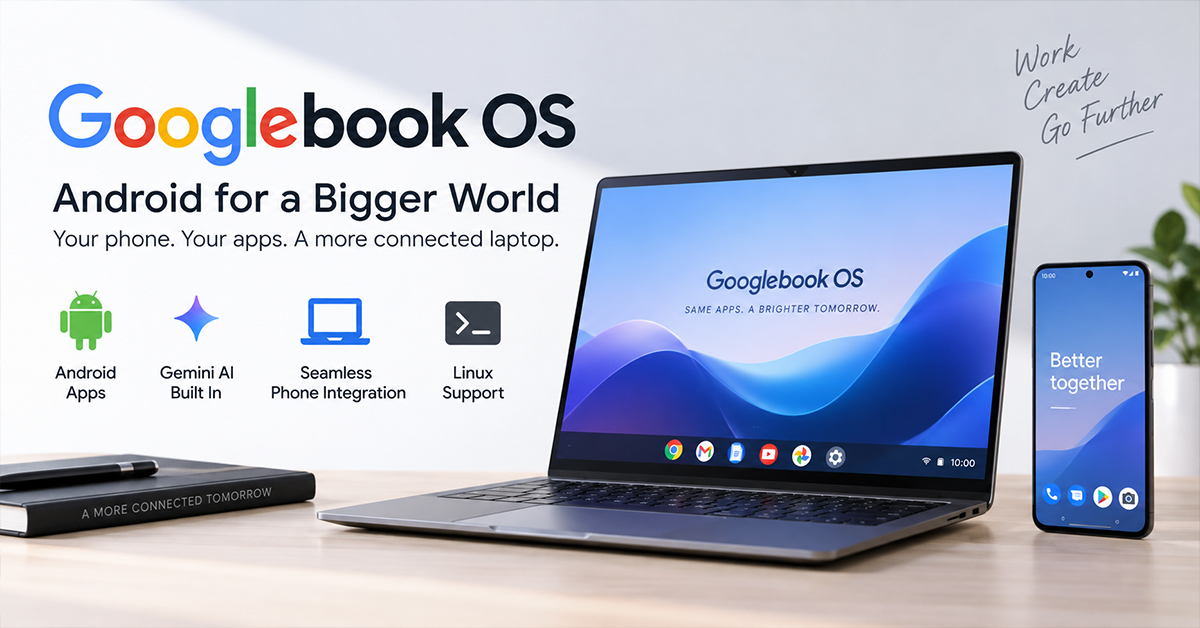

Google is taking a new approach to laptops with Googlebook OS, a platform built on Android technology while incorporating desktop features associated with ChromeOS.
Pre-orders opened on September 21, 2026, with U.S. retail availability scheduled for October 4. The first five Googlebooks come from Acer, ASUS, Dell, HP and Lenovo, with U.S. prices starting at $899.
The main idea is straightforward: Google wants an Android phone and a laptop to work more like connected parts of the same system rather than separate devices.
What Googlebook OS Actually Changes
Googlebook OS uses the Android technology stack with desktop foundations from ChromeOS. That gives Google a different starting point from traditional Chromebooks while retaining features such as the desktop Chrome browser and extensions.
The hardware requirements are also aimed at the premium segment. Launch Googlebooks come with at least 16GB of RAM, touchscreens, backlit keyboards and haptic trackpads, while Google requires manufacturers to meet specific hardware standards. The platform also uses dedicated NPUs for on-device AI processing above 45 TOPS.
This makes Googlebook less like a conventional low-cost Chromebook and more like a premium laptop platform designed around Android.
Android Phone Integration Is the Key Feature
For Android users, the most practical part of Googlebook OS may be its connection to the phone.
Continue On is designed to let users move an active task from a phone to a Googlebook. The laptop can also access files from a connected Android phone through its file-management system.
With Cast My Apps, supported phone applications can appear in desktop windows without requiring a separate laptop installation.
These features address a common problem: people often begin an activity on a phone and then want a larger screen and physical keyboard. Google is trying to make that transition happen without manually transferring files or finding another version of an application.
The limitation is that the experience still depends on compatible devices, applications and wireless connectivity. Those factors need real-world testing.
Gemini Is Part of the Desktop Experience
Googlebook OS also puts Gemini directly into the computing experience.
One example is Magic Pointer, which can recognize information such as text and images on the screen and bring Gemini into the workflow. Google describes it as a way to reduce the number of steps required for tasks that normally involve selecting, copying and moving information between applications.
The launch hardware uses NPUs capable of more than 45 TOPS, but that number should not be treated as a direct measure of overall AI performance. Software optimization and the specific workload will also matter.
Five Googlebooks, Five Different Hardware Choices
| Model | U.S. Starting Price | Processor | Display | Weight |
|---|---|---|---|---|
| Acer Googlebook 14 | $899 | Intel Core Ultra 5 | 14″ 2.8K OLED | 2.51 lb |
| ASUS Googlebook 14 | $1,299 | Intel Core Ultra 5 | 14″ 2.8K OLED | 2.2 lb |
| XPS Googlebook | $999 | Snapdragon X Elite | 13.4″ 2.5K LCD | 2.2 lb |
| HP Googlebook 14 | $1,299 | Snapdragon X Elite | 14″ 2.8K OLED | 2.74 lb |
| Lenovo Googlebook 15 | $1,099 | Intel Core Ultra 5 | 15.3″ 2.8K OLED | 2.84 lb |
Google’s current product comparison lists 16GB of RAM and 512GB of storage across these launch configurations, while processor, display and battery specifications vary by model.
The pricing also shows where Google is positioning the platform. At $899 and above, Googlebooks are competing in a much more expensive part of the laptop market than traditional budget Chromebooks.
Intel and Snapdragon Offer Different Trade-Offs
The launch lineup uses either Intel Core Ultra processors or Qualcomm Snapdragon X Elite chips.
The Intel models use the familiar PC architecture, while Snapdragon X Elite is based on ARM. That difference can affect application compatibility, power efficiency and performance depending on the software being used.
Battery life also varies considerably between models. Google’s current figures range from up to 13 hours to 19 hours, depending on the laptop, with testing based on controlled web-browsing conditions. Actual battery life can be lower depending on settings, network conditions and workload.
That makes independent testing more useful than comparing processor names or headline battery numbers alone.
Linux Support Makes Googlebook More Interesting to Developers
Googlebook OS includes a Linux environment through a pKVM-based architecture, giving developers access to terminal-based tools and development workflows.
This could make the platform more attractive to Android developers and other users who need Linux tools while also wanting native Android integration.
However, professional users will still need to test the compatibility and performance of their specific development tools before treating Googlebook as a replacement for an established Windows, macOS or Linux workstation.
Long-Term Support Could Be a Major Advantage
Google says Googlebook will receive feature drops, system updates and security patches for up to 10 years from the platform’s launch.
The launch devices also include one year of Google AI Pro, along with other promotional software and services. Google’s current product pages list the one-year AI Pro offer at a value of $249.99, although the practical value depends on whether the buyer would otherwise pay for those services.
What Still Needs Real-World Testing
The specifications do not answer several important questions.
The first is how well Android applications behave when resized across multiple desktop windows. The second is whether phone app streaming remains responsive on congested networks. Third-party support for features such as task handoff will also determine how useful the ecosystem becomes.
The Glowbar is another area worth watching. Google says developers will be able to create interactive animations for it, but the size and usefulness of that developer ecosystem remain uncertain.
What Readers Should Know
Googlebook OS is more than a new laptop interface. Google is using Android as the foundation for a desktop platform while adding phone continuity, Gemini AI, Linux support and hardware requirements designed for premium laptops.
The starting price of $899 makes the platform significantly more expensive than the budget Chromebook market, so its success will depend heavily on whether the integrated Android experience provides enough value to justify the difference.
For buyers, the most important things to watch after launch are real-world battery life, Android app compatibility, phone connectivity and third-party developer support. Those factors will reveal whether Googlebook OS is simply a new laptop platform or a genuinely useful bridge between Android phones and desktop computing.