Samsung appears to be preparing a new cloud backup option for its Gallery app, with Google Photos set to take a more direct role after the company’s OneDrive integration comes to an end.
The change could give Galaxy users a more integrated way to back up photos and videos without relying on a separate cloud-storage workflow. However, the new feature is not yet fully available, so several details remain subject to change as Samsung completes its rollout.
From OneDrive to Google Photos
Samsung Gallery previously offered integration with Microsoft OneDrive, allowing Galaxy users to synchronize photos and other Gallery content with Microsoft’s cloud service.
That integration was removed earlier in 2026. As a result, Galaxy users could still back up their media using services such as Google Photos, Microsoft apps, Amazon, or other third-party solutions, but Samsung Gallery no longer provided the same built-in cloud experience.
Samsung now appears to be preparing a replacement.
An update to Samsung’s “Gallery Cloud Sync” application describes the service as a way to back up photos, videos, and albums to Google’s cloud infrastructure and keep Gallery content available across devices.
While Samsung uses the term “Google Cloud” in its description, early previews indicate that the functionality is more specifically connected to Google Photos.
What the New Google Photos Integration Could Do
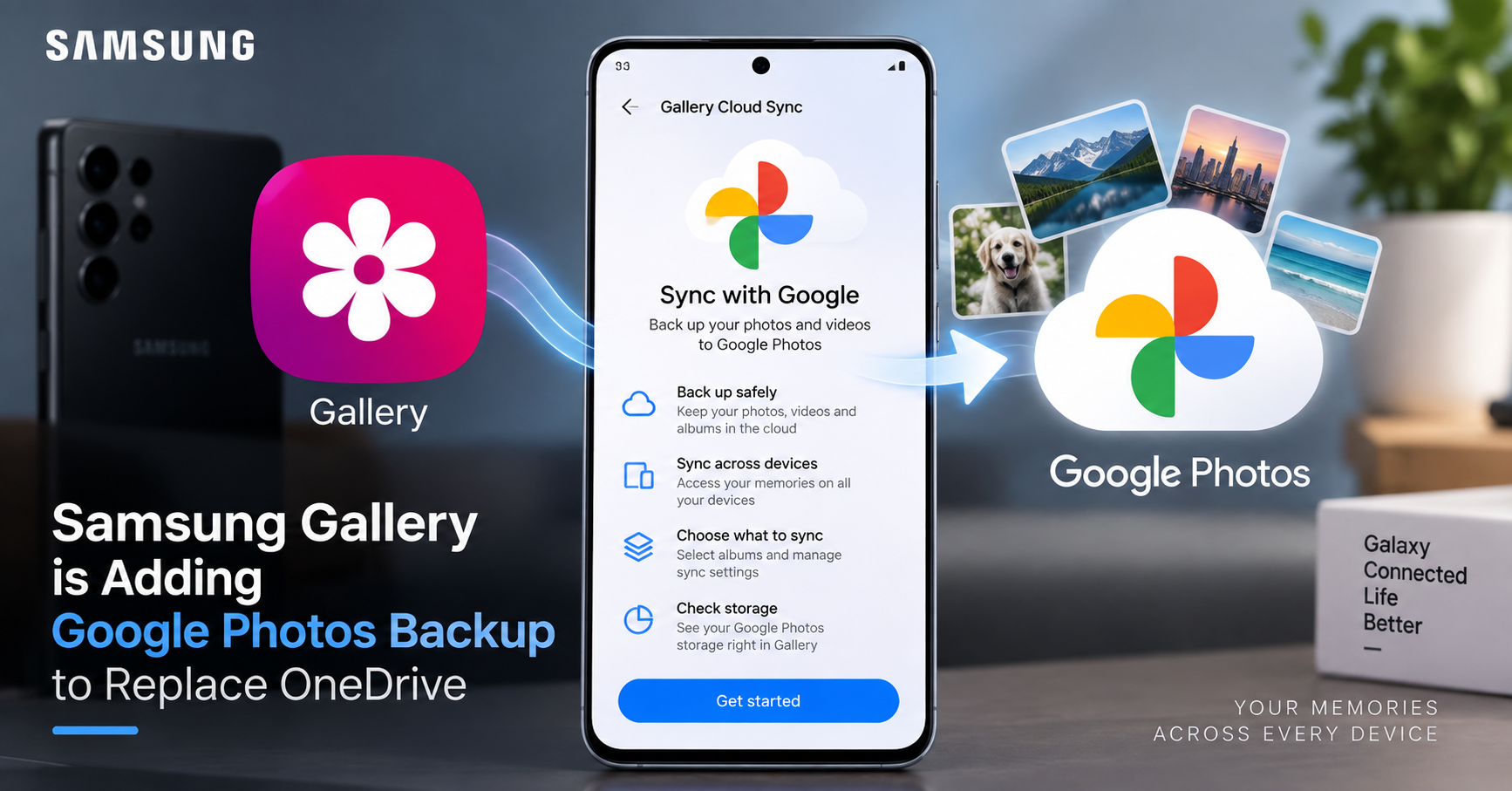
Based on early previews referenced by 9to5Google, Samsung Gallery could introduce a dedicated “Sync with Google” option.
The feature is expected to provide several controls directly within the Gallery experience.
Choose Which Albums to Sync
Rather than automatically sending every photo and video to the cloud, users may be able to select specific albums for synchronization.
This could be particularly useful for people who keep screenshots, downloaded images, camera photos, work files, and other media in separate Gallery albums.
For users with limited cloud storage, being able to choose what gets synchronized could also provide more control over storage consumption.
Check Available Cloud Storage
Early screenshots indicate that Samsung Gallery may also display available storage information.
This would allow users to see how much cloud capacity remains without necessarily having to leave the Gallery interface.
That information becomes increasingly important as smartphone cameras generate larger photo and video files and users accumulate years of media.
Manage Data Conditions
The upcoming system may also provide settings related to the conditions under which synchronization takes place.
For example, users could potentially control when their media is allowed to sync based on their available data connection.
The exact options, however, have not been fully confirmed.
Why This Is Different From Simply Installing Google Photos
Google Photos has long been available as a standalone Android application, so Samsung’s move does not mean Galaxy users are only now gaining access to Google Photos.
The more significant change is the potential integration between Samsung Gallery and Google Photos’ cloud-based storage system.
For users, that could make cloud backup feel more like a built-in part of the Gallery experience rather than a separate application they need to manage independently.
This distinction matters because Samsung Gallery remains the primary interface many Galaxy owners use when browsing photos stored locally on their phones.
What It Could Mean for Galaxy Users
Easier Cloud Management
If the integration works as currently previewed, Galaxy users may be able to manage important parts of their Google Photos synchronization directly through Samsung Gallery.
That could simplify the process of deciding which content should be backed up and which albums should remain local.
Better Multi-Device Access
Samsung’s description also highlights synchronization across devices.
In practical terms, the concept is straightforward: a photo captured on a Galaxy smartphone could potentially become accessible through the user’s connected devices through the cloud synchronization system.
This could be useful for people who regularly switch between a Galaxy phone and tablet.
However, the exact behavior of synchronization between devices will depend on Samsung’s final implementation.
Storage Still Matters
The move to Google Photos does not eliminate cloud-storage limits.
Users will still need to pay attention to how much storage their Google account has available and how much space their photos and videos consume.
This is particularly relevant for users who record large amounts of video. Automatically syncing an entire Gallery library can consume cloud capacity much faster than selectively backing up important albums.
For that reason, album selection and storage-management controls could become some of the most useful parts of the new integration.
Existing OneDrive Users Have a Deadline
One important detail for current Samsung Gallery users is that the existing OneDrive synchronization option is not expected to disappear immediately.
According to the source material, Samsung Gallery will continue allowing existing OneDrive users to synchronize their photos through September 30, 2026.
That gives current OneDrive users a window to review their backup setup and decide how they want to handle their photo library after the integration ends.
Users should not assume that simply installing Google Photos will automatically reproduce every part of their previous Samsung-OneDrive setup. The two systems may use different synchronization methods and settings.
Samsung Is Not the First Android Manufacturer to Do This
Google Photos integration inside a smartphone manufacturer’s Gallery application is not an entirely new concept.
The same type of integration has previously appeared on devices from other Android manufacturers, including OnePlus, which added Google Photos integration to its Gallery app in 2024. Xiaomi and some other manufacturers have also offered related functionality.
Samsung’s move therefore fits into a broader trend in the Android ecosystem: smartphone manufacturers increasingly connecting their native Gallery experiences with established cloud-photo platforms.
For Samsung, Google Photos provides a natural alternative following the end of its OneDrive integration.
What We Know So Far
The most important point is that the new Samsung Gallery feature is not yet fully rolled out.
Early previews show that Samsung is working on Google Photos synchronization, but the functionality may require multiple software components to be updated.
The source reports that both the Gallery Cloud Sync application and Samsung Cloud need to be updated. A Gallery application update or even a broader system update may also be necessary before the feature works completely.
Google’s own support documentation did not yet specifically list Samsung as supported for this integration at the time of the report.
That means Galaxy users should treat the currently visible interface as an early indication of Samsung’s plans rather than a final specification.
Device compatibility, rollout timing, available settings, and the exact relationship between Samsung Gallery and Google Photos could still change.
Why This Matters
Photos are among the most important personal files stored on a smartphone. Unlike many applications that can simply be reinstalled, losing years of personal photos and videos can be difficult or impossible to reverse.
That makes the transition from one cloud-backup system to another more significant than a normal application update.
Samsung’s move could give Galaxy users a more direct relationship between their native Gallery app and Google Photos, while also providing more control over albums and cloud synchronization.
At the same time, users should understand that cloud backup is not completely automatic protection against every form of data loss. Account access, storage capacity, synchronization settings, and the availability of the original files all remain important considerations.
Bottom Line
Samsung appears to be moving toward Google Photos as the next major cloud-photo integration for Samsung Gallery following the end of its OneDrive relationship.
The planned system could allow Galaxy users to connect Samsung Gallery with Google Photos, choose which albums to synchronize, monitor available cloud storage, and manage synchronization conditions from within the Gallery experience.
For existing OneDrive users, the September 30, 2026 deadline makes it worth reviewing their current backup setup before the transition.
However, the Google Photos integration is still in the rollout stage. Until Samsung officially completes the feature and Google documents full support, users should consider the currently circulating screenshots and previews as early evidence of the upcoming functionality rather than a final feature specification.
Source: This article is based on reporting by Ben Schoon at 9to5Google published on September 15, 2026, together with Samsung’s Gallery Cloud Sync service information referenced in that report. The article has been independently structured and written for GenZNature.com and does not reproduce or directly translate the source article.
Disclaimer / What to Know:
The Google Photos integration described here is based partly on an early preview and Samsung’s current Gallery Cloud Sync information. The feature was not fully live during the source publication’s testing, and Samsung may change its availability, supported devices, settings, or functionality before the final rollout